QuickBooks API Versioning: What Changes Mean for Your Integration

Richard Thornwell
23 June 2026
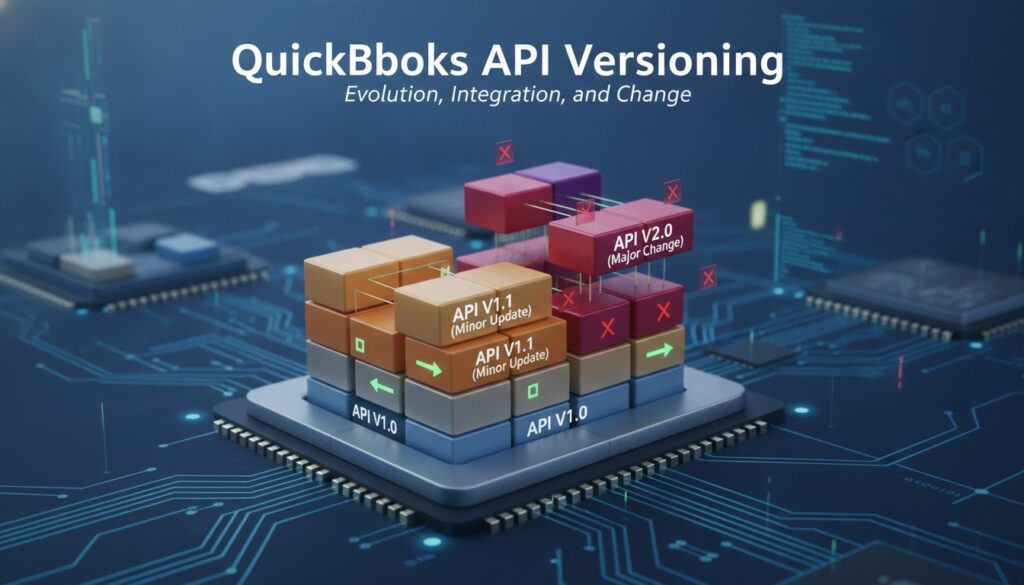
QuickBooks API Versioning: What Changes Mean for Your Integration
Introduction
If you’ve built an integration with the QuickBooks Online API, you know the initial development effort is only half the battle. The real challenge? Keeping that integration alive and healthy over time. Intuit regularly updates, enhances, and occasionally deprecates parts of the QuickBooks API — and if you’re not paying attention, a seemingly minor version change can break your entire workflow overnight.
Whether you’re a solo developer maintaining a custom connector or part of a team managing a SaaS product that syncs with QuickBooks, understanding API versioning is non-negotiable. In this post, we’ll walk through how Intuit handles API versioning, how to monitor deprecation notices before they become emergencies, how to test against new API versions safely, and how to write backward-compatible code that keeps your systems running smoothly no matter what changes come down the pipeline.
Let’s dive in.
Understanding How Intuit Handles QuickBooks API Versioning
Before you can prepare for changes, you need to understand how Intuit rolls out updates to the QuickBooks Online API. Unlike some APIs that use explicit version numbers in the URL path (e.g., `/v1/`, `/v2/`), the QuickBooks Online API uses a minor version parameter that you pass with each request.
The Minor Version System
Intuit uses a `minorversion` query parameter to control which version of the API behavior your application receives. For example:
“`
GET https://quickbooks.api.intuit.com/v3/company/{companyId}/invoice/{invoiceId}?minorversion=73
“`
Each minor version can introduce:
- New fields on existing entities
- New endpoints or operations
- Changed behavior for existing fields or operations
- Deprecated fields that will eventually be removed
- Non-breaking changes: Adding new optional fields, new endpoints, or new enum values. These are introduced within the minor version system and shouldn’t disrupt existing integrations.
- Breaking changes: Removing fields, changing data types, altering required fields, or modifying authentication flows. Intuit typically provides significant advance notice for these.
- Intuit Developer Blog — Intuit publishes announcements about upcoming API changes, new features, and deprecation timelines at [developer.intuit.com/blog](https://developer.intuit.com).
- API Changelog / Release Notes — The official changelog documents every minor version change, including new fields, modified behaviors, and deprecated features.
- Developer Community Forums — Other developers often surface issues and discuss upcoming changes before they become critical.
- Email Notifications — Make sure your Intuit Developer account has up-to-date contact information. Intuit sends email alerts for major changes.
- API Response Headers — Sometimes Intuit includes deprecation warnings directly in API response headers. Parse and log these.
- Set a calendar reminder to check the API changelog at least once per month
- Subscribe to RSS feeds or email digests from the Intuit developer portal
- Create a Slack channel or notification pipeline that aggregates API change announcements
- Assign ownership — someone on your team should be explicitly responsible for tracking API changes
- Announcement — The feature or field is marked as deprecated in documentation
- Grace Period — Usually 6–12 months where the deprecated feature still works but may trigger warnings
- Sunset — The feature is removed entirely
- Core CRUD operations (Create, Read, Update, Delete) for every entity your integration touches
- Edge cases like voided transactions, deleted records, and entities with special characters
- Pagination and query behavior — these can change subtly between versions
- Error handling — new versions may return different error codes or messages
- Test a new version by changing an environment variable
- Roll back instantly if something breaks
- Run different versions in staging vs. production
- Runs against the sandbox API on a schedule (daily or weekly)
- Validates response schemas against expected structures
- Alerts your team immediately when a test fails
- Can be pointed at different minor versions via configuration
- A dedicated service class or module for each entity (InvoiceService, CustomerService, etc.)
- Centralized error handling and retry logic
- A single place to update the minor version parameter
- Response mapping that converts API responses into your internal data models
- The minor version used for each request
- Full request URLs and response status codes
- Response bodies for failed requests (redact sensitive data)
- Any deprecation warnings from response headers
- Deploy the new version code behind a flag
- Enable it for a subset of users or companies first
- Monitor error rates and data integrity
- Roll out to everyone once you’re confident
- Review the changelog for the target minor version
- Identify which changes affect your integration
- Estimate the development effort required
- Prioritize based on deprecation deadlines
- Update your abstraction layer to handle new behaviors
- Write or update automated tests
- Implement backward-compatible code where possible
- Run full test suite against the sandbox with the new minor version
- Perform manual exploratory testing for complex workflows
- Validate data integrity end-to-end
- Deploy to staging environment
- Enable for internal testing accounts first
- Monitor logs and error rates closely
- Update the minor version in production
- Monitor dashboards for anomalies
- Keep the rollback path ready for 48–72 hours
- Ignoring the minor version parameter entirely — This pins you to the oldest supported version, which will eventually be sunset
- Hardcoding API responses into your data models — Any new or removed field becomes a potential crash
- Testing only the happy path — Version changes often affect error responses, edge cases, and less-used endpoints
- Waiting until the last minute — Deprecation deadlines are real. Don’t assume Intuit will extend them
- Not having a rollback plan — Always be able to revert to the previous minor version quickly
- Stay informed — Monitor changelogs, subscribe to notifications, and assign ownership
- Test proactively — Use the sandbox, automate your tests, and validate against new versions before they’re mandatory
- Code defensively — Handle missing fields, ignore unknown properties, and abstract your API layer
- Plan systematically — Have a documented migration playbook and follow it consistently
- Check which minor version your integration is currently using
- Visit the [Intuit Developer changelog](https://developer.intuit.com) and see what’s changed since your last update
- Set up a recurring calendar reminder to review API changes monthly
- If you don’t have automated API tests, make building them your next sprint priority
Important: If you don’t specify a `minorversion` parameter, the API defaults to the oldest supported version. This might sound safe, but it means you’re missing out on bug fixes, new features, and — critically — you may be relying on behavior that Intuit plans to remove.
Breaking vs. Non-Breaking Changes
Intuit generally categorizes changes as follows:
Monitoring Deprecation Notices and Staying Ahead of Changes
The single biggest reason integrations break is that developers miss deprecation announcements. Intuit doesn’t change things without warning, but those warnings only help if you’re actually listening.
Where to Find Update Information
Here are the primary sources you should be monitoring:
Building a Monitoring Routine
Don’t rely on memory. Build a systematic approach:
Pro Tip: Create a simple internal document or spreadsheet that tracks the current minor version you’re using, the latest available version, and any deprecation deadlines. Review it during sprint planning.
Understanding Deprecation Timelines
Intuit typically follows a deprecation lifecycle:
Testing Against New API Versions Safely
So you’ve spotted an upcoming change. Now what? You need to test your integration against the new version before it becomes mandatory. Here’s how to do it without risking your production environment.
Use the Sandbox Environment
Intuit provides a sandbox environment specifically for testing. Every Intuit Developer account comes with a sandbox company that mirrors the production API but uses test data.
“`
Base URL (Sandbox): https://sandbox-quickbooks.api.intuit.com
Base URL (Production): https://quickbooks.api.intuit.com
“`
Always test version changes in the sandbox first. Create test scenarios that cover:
Implement Version Pinning with Flexibility
One of the best practices is to pin your minor version explicitly in every API call, but make it configurable:
“`python
Good: Configurable version pinning
QBAPIMINORVERSION = os.environ.get(‘QBMINORVERSION’, ’73’)
def get
invoice(companyid, invoiceid):url = f”https://quickbooks.api.intuit.com/v3/company/{companyid}/invoice/{invoiceid}”
params = {‘minorversion’: QBAPIMINORVERSION}
response = requests.get(url, headers=authheaders, params=params)
return response.json()
“`
This approach lets you:
Automated Testing Is Non-Negotiable
Manual testing catches obvious issues, but automated tests catch the subtle ones — a field that changed from string to integer, a date format that shifted, or a new required field that wasn’t there before.
Build a test suite that:
const invoiceSchema = {
type: ‘object’,
required: [‘Invoice’],
properties: {
Invoice: {
type: ‘object’,
required: [‘Id’, ‘TotalAmt’, ‘Balance’, ‘CustomerRef’],
properties: {
Id: { type: ‘string’ },
TotalAmt: { type: ‘number’ },
Balance: { type: ‘number’ },
CustomerRef: { type: ‘object’ }
}
}
}
};
const validate = ajv.compile(invoiceSchema);
const valid = validate(apiResponse);
if (!valid) {
console.error(‘Schema validation failed:’, validate.errors);
// Trigger alert
}
“`
Writing Backward-Compatible Code That Survives Version Changes
The best defense against breaking changes is code that’s designed to be resilient from the start. Here are battle-tested strategies for building integrations that bend without breaking.
1. Never Assume Field Presence
Even if a field has always been present in API responses, don’t assume it always will be. Use defensive coding patterns:
“`python
Bad: Assumes ‘EmailAddress’ always exists
email = invoice[‘PrimaryEmailAddr’][‘Address’]
Good: Handles missing fields gracefully
email = invoice.get(‘PrimaryEmailAddr’, {}).get(‘Address’, None) if email: send_notification(email) else: log.warning(f”No email found for invoice {invoice.get(‘Id’)}”) “`2. Ignore Unknown Fields
When Intuit adds new fields to a response, your deserialization logic shouldn’t choke on them. Configure your JSON parsers and ORM mappings to ignore unknown properties:
“`java
// Jackson (Java)
@JsonIgnoreProperties(ignoreUnknown = true)
public class Invoice {
private String id;
private BigDecimal totalAmt;
// …
}
“`
3. Abstract the API Layer
Don’t scatter raw API calls throughout your codebase. Create an abstraction layer that encapsulates all QuickBooks API interactions:
4. Log Everything
When something breaks in production, logs are your lifeline. Log:
5. Implement Feature Flags
For significant version migrations, use feature flags to gradually roll out changes:
Building a Version Migration Playbook
Every team should have a documented process for handling API version migrations. Here’s a template you can adapt:
Step 1: Assessment (Week 1)
Step 2: Development (Weeks 2–3)
Step 3: Testing (Week 4)
Step 4: Staged Rollout (Week 5)
Step 5: Production Release (Week 6)
Remember: The timeline above is a guideline. Simple changes might take a day; major breaking changes could take months. The key is having a process, not a specific timeline.
Common Pitfalls to Avoid
Over the years, we’ve seen the same mistakes trip up developers again and again:
Conclusion
QuickBooks API versioning doesn’t have to be a source of anxiety. With the right monitoring habits, testing infrastructure, and coding practices, you can turn version updates from emergencies into routine maintenance tasks.
The core principles are simple:
Take Action Today
Don’t wait for your next integration outage to take API versioning seriously. Start today:
— David Miller